TIMING & LAPS · GUIDE
Every moment counts. Every lap stays visible.
How long does a process really take? The Jacktools stopwatch measures elapsed time and records individual laps. Unlike the countdown, you don't have to know the duration in advance - you start at zero and then evaluate.
Open StopwatchVIEWS & SETTINGS
One tool, many views.
Explore different views and colour styles for Stopwatch. The screenshots come from the online app. Click any image to enlarge it.
The screenshots show the German-language interface. The explanations are translated.
GET TO KNOW THE TOOL
Stopwatch: the most important functions
measure time
Start, pause and continue the measurement. Breaks are not counted towards the measured running time.
Compare rounds
Record splits without interrupting the measurement. Lap time and total time remain separate.
Secure results
Copy the rounds or download them as a CSV file before leaving the page.
Start and pause a time measurement
The stopwatch is suitable for practice tasks, test runs or recurring work steps. Before you start, decide which moment marks the beginning and which marks the end. This makes later comparisons more meaningful.
Pause stops the measurement without losing the elapsed time. Resuming adds further active time only. This is useful when you want to exclude an intentional break.
- Open the stopwatch and choose an analog, digital or combined view.
- Start exactly at the designated start of your task.
- Pause at the end or when there is an interruption. Continue measuring if necessary.
- Save the results before resetting or closing the page.
Read lap time and total time correctly
A lap marks a section within a continuous measurement. The individual lap time is the time since the previous split; the total time is all active time recorded since the start.
Use similar conditions for comparisons: the same starting point, task scope and end point. The stopwatch supplies measurements, but does not judge whether different tasks are comparable.
- Start the measurement and record a lap at the end of the first section.
- Record additional laps at the same technical transitions without stopping the stopwatch.
- Pause after the last section and compare the individual times with the cumulative time.
Copy measured values or save as CSV
Recorded laps can be copied to the clipboard as text or downloaded as CSV. The text contains tabular values; the CSV file can be opened in a spreadsheet. Headings use the selected language.
Also save what you measured and under what conditions for later comparisons. A file name like “Lecture-Sample-1” is more helpful than a collection of unassignable numbers.
Measurements and laps are not automatically saved permanently. A reload or page change discards them. Export important results in a timely manner – locally saved design settings are not a backup of your measured values.
Display and technical limitations
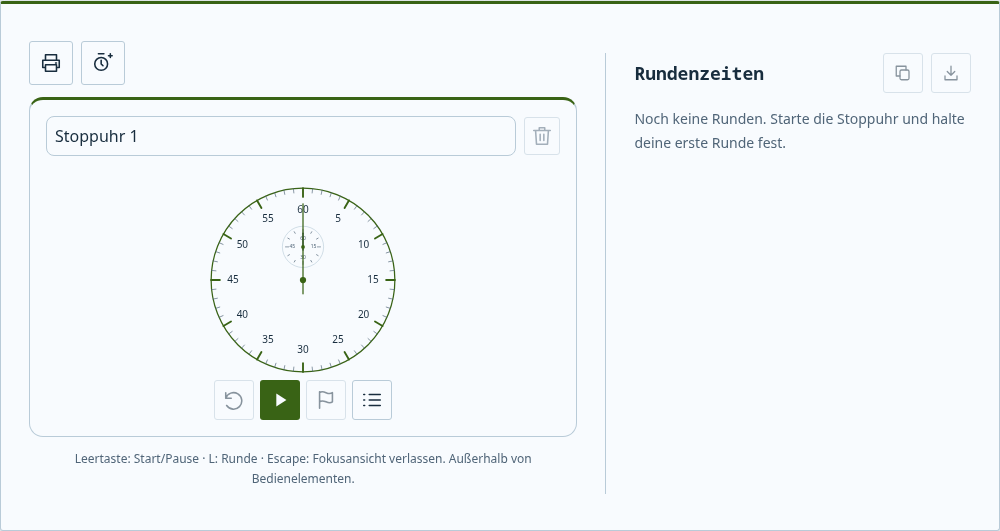
The analog display has a seconds dial and an additional minute display. The digital display helps to show the exact total time, especially for longer measurements. The focus view reduces the rest of the page content.
Timing is based on timestamps, not how often the screen refreshes. Changing the system clock can still affect the measurement. Delayed browser display is not the same as an officially verified measurement.
The optional screen wake function can make reading easier, but is not reliably supported by every browser and device. For safety-critical or official measurements, use a measuring device intended for this purpose.
Frequently asked questions and important boundaries
Does the time remain when pausing?
Yes. The elapsed time is retained while the page stays open. Resuming adds further running time without counting the pause.
Are rounds still present after a reload?
No. Save them beforehand via copy or CSV download.
Can I count down a fixed duration?
That's what the timer is for. The stopwatch measures forward without you setting a target time beforehand.
Why do I need confirmation when resetting?
When resetting a paused measurement, the previous status and the recorded laps are discarded. Secure important values beforehand.