TIME & FOCUS · GUIDE
A timer.
Three ways to plan time.
Count down once, work with concentration or repeat active phases and breaks: The Jacktools Timer combines countdown, Pomodoro and interval timer in one browser application. Here you can find out which mode suits your task and how to set it up.
YOUR TIMER. YOUR STYLE.
One tool, many views.
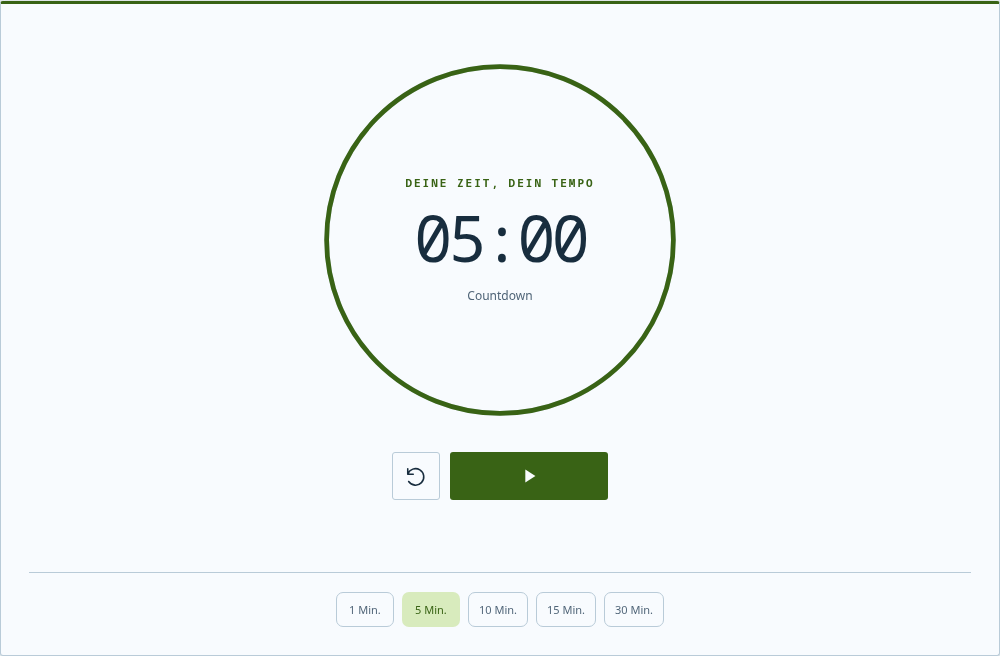
Round, square, analogue or digital: discover the styles and colors of the online timer. You can enlarge each image for details.
The screenshots show the German-language interface. The explanations are translated.
THE RIGHT CHOICE
Countdown, Pomodoro or interval timer?
Duration is not the only factor: what should happen afterwards also matters. A countdown ends after a single period. Pomodoro structures work and breaks, but lets you start the next phase yourself. The interval timer switches between prepared phases automatically.
Countdown
For a single task with a fixed end: about ten minutes of tidying up, rehearsing a short talk or limiting a tea break.
Open countdownPomodoro
For concentrated work blocks with short and long breaks. You start each new phase yourself - so you can only complete your notes.
Open PomodoroInterval timer
For recurring active phases and breaks, for example when practicing or during an exercise routine. After starting, the phase sequence runs automatically.
Open interval timerThis is how you set a countdown
- Open the Countdown timer and enter hours, minutes and seconds. Alternatively, choose a preset duration.
- Confirm your own time settings with “Apply settings”. This will reset the current countdown to the selected duration.
- Check whether the signal tone is switched on and the device volume is set appropriately. Start the countdown using the start button.
- If you have an interruption, you can pause and then continue. Reset starts again at the set duration.
Important when making changes: Choosing a preset or applying new settings resets the current timer. Pausing alone will not preserve the remaining time if you then change the duration. Wait until the current run is over before changing it.
Plan focus and breaks with Pomodoro
In Pomodoro mode, set the focus duration, short break, long break and number of focus rounds before a long break. Defaults are 25 minutes of focus, a 5-minute short break and a 15-minute long break after four focus rounds. These are starting points, not fixed rules for your working day.
- Before you start, formulate a manageable task, for example: “Revise the first section” instead of “Finish the entire project”.
- Open Pomodoro, adjust times and number of laps if necessary and apply the settings.
- Start the focus phase. Make note of side quests that come up instead of jumping to them straight away.
- Once it's over, the pause doesn't start by itself. Start the next phase when you're ready. “Next Phase” skips the current phase, but also waits for you to start.
By default, the Pomodoro display shows minutes rounded up and seconds in the last minute. If you want to see the exact remaining time continuously, you can turn on the seconds display.
Recurring processes with the interval timer
In interval mode you can set optional preparation, the duration of the active phase, the break and the number of laps. The times are given in seconds. Unlike Pomodoro, the phases run automatically one after the other after starting. After the last active phase there is no break.
Optional signals for the last seconds and a halfway signal during active phases help you follow the routine. Test the sounds before relying on them. On supported devices, “Keep screen awake” can prevent the display turning off while the timer runs. This does not replace checking your device and browser settings.
Set your own intervalsView and local settings
The focus view puts the time display at the center; With Escape you leave it again. In the settings menu you can, among other things, adjust the light or dark display, colors and font size. This makes it easier to read the timer on the desk or on a screen further away.
If you allow local storage, timer settings will be stored in the browser storage. Without this consent, changes only apply to the current visit. You don't need a user account for this. The saved values are not synchronized with another device. If the browser blocks storage or you delete your website data, it may no longer be available the next time you visit.
Saved settings are not a saved run: When the page is reloaded or a page is changed, an ongoing countdown will not continue. Keep the timer page open during use.
Frequently asked questions and important boundaries
Why don't I hear a beep?
Check the sound setting in the timer, the volume and whether the browser tab is muted. The sound requires user interaction, such as the timer starting. Signals may be delayed or absent in the background, when the device is locked, or in power saving mode. Try a short countdown with the page visible.
Does the timer continue to run when the browser is closed?
Don't rely on it. A closed browser or a sleeping device cannot reliably alert. Use a designated alarm clock for important appointments. The browser timer is not intended for security-critical tasks.
How is the remaining time calculated?
The countdown calculates the remaining time from a fixed end time instead of just subtracting a second for each program cycle. This reduces creeping deviations caused by delayed updates. Changes to the system clock can still affect the countdown; Even a punctual signal tone in the background is not guaranteed.
Which mode starts the next phase automatically?
The interval timer automatically switches between preparation, active phases and breaks. With Pomodoro, you start each new phase manually. A normal countdown ends after the set time without automatically starting a new cycle.
When do I need a stopwatch instead of a timer?
A timer counts down a predetermined time. If you first want to find out how long a task takes, use this Jacktools stopwatch: It measures the elapsed time forward.